

If you are looking for an app uninstaller for your Mac because you need to improve your Mac’s performance, take a look at this post:
Normally, to uninstall an app on a Mac, you drag it directly to the trash, and technically this is correct, but always doing it this way will, in the medium term, leave your Mac full of orphaned files that unnecessarily take up space.
You can simplify uninstallation by using apps. I am going to tell you about the two best-known ones: one is free and the other is a more convenient paid option.
The free option, AppCleaner
This is a small utility responsible for deleting all those files that applications leave scattered around the system and that are not deleted when you simply send the app to the trash.
You just have to drag the app you want to uninstall onto the window, and the app does the rest.
It even has a feature so that when you delete an app by sending it to the trash, it opens automatically and asks if you want to delete those files as well. This is great because many times due to rush or forgetfulness you don’t use it; with this, you make sure to use it every time.
You can download it from their website.
The most convenient option, CleanMyMac
In my case, with just a single scan it detected more than 8 GB to clean
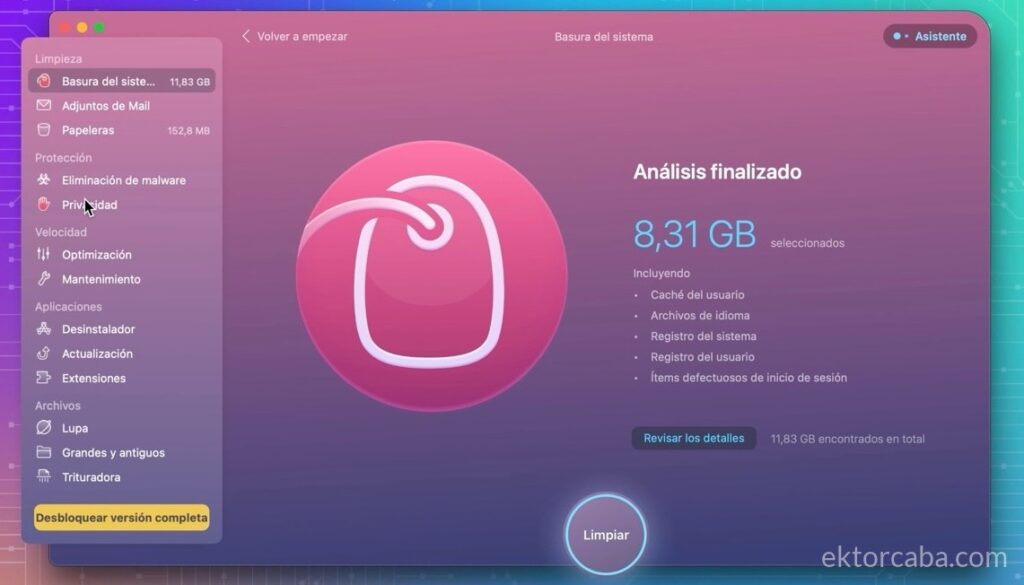
CleanMyMac is an all-in-one application. The interesting thing is not that it does “magical” things, because many of them you can also do for free, but rather that it groups them together and saves you time.
This is where the difference compared to AppCleaner really shows.
AppCleaner does a great job of removing apps and their associated files, but CleanMyMac goes a step further and also cleans other system leftovers like caches, temporary files, or update residues that you normally wouldn’t touch.
Can this be done manually or with free tools? Yes.
But it will take you more time and you have to know what you are touching.
CleanMyMac simply puts it all together so you only have to click once.
It also includes other functions (such as duplicate cleaning or system maintenance) that can come in handy, but for me, the important part is the quick cleanup.
If you prefer to do everything automatically without complications, you can try CleanMyMac here:
You can also find it included in the SetApp subscription along with other applications.